
What marina load calculation software should actually solve
A marina electrical calculation is not one isolated formula. The project typically starts with a distribution arrangement, then expands into shore-power receptacles, pedestal circuits, feeder paths, conductor materials, wiring methods, distances, voltage-drop checks, boat-lift motors, landside and auxiliary loads, panel schedules, and diagram notes.
The practical challenge is coordination. A receptacle change can alter the calculated demand. A demand change can affect breaker, feeder, grounding, and raceway results. A different feeder distance can affect voltage drop and conductor selection. A revised panel arrangement can change the one-line and the report structure.
Good marina load calculation software should therefore do more than return a demand current. It should preserve the project inputs, show how the distribution is organized, update the relevant schedules, and carry the results into documentation that can be reviewed.
The key buying question: Does the tool calculate one number, or does it help keep the entire marina calculation package coordinated?
1. Start with a clear calculation boundary
Before entering receptacles, define where the software model begins. A small project may begin at one marina panel. A larger project may begin at a low-voltage MDP feeding multiple dock panels. A large-marina study may begin at a 480/277V landside MDP feeding marine substations and downstream pedestal panels.
The calculation boundary determines which source information, feeder distances, voltages, and distribution levels must be entered. It also determines whether the final one-line should show one panel, an MDP with multiple dock panels, or an MDP with substations.
2. Capture inputs that can survive a revision
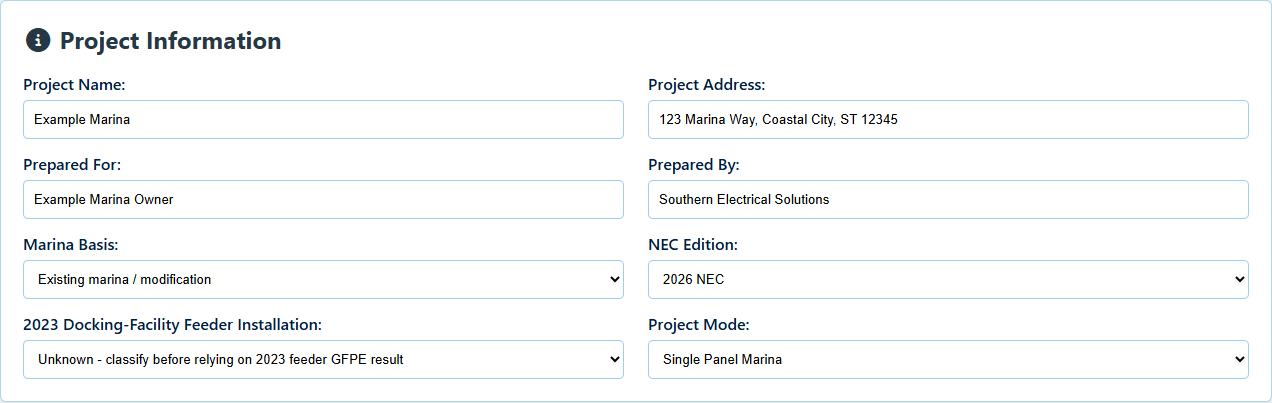
A repeatable marina project record should identify more than the total number of slips. Useful inputs include:
- Project name, address, Prepared For, Prepared By, marina basis, selected calculation basis, and distribution mode.
- Source or MDP voltage, panel names, service distances, conductor material, wiring method, raceway, and ambient condition.
- Individual dock panels or substations and the areas they serve.
- Pedestal circuit IDs, side-by-side receptacle layouts, looped feeder relationships, and circuit distances.
- Boat-lift motors, motor voltage and phase, source topology, accessory receptacles, controller information, and simultaneous-operation assumptions.
- Other marina loads such as site lighting, buildings, pumps, controls, security, EV charging, and user-calculated branches.
- Project notes that explain unusual routes, operating limits, or AHJ-dependent decisions.
Saving these details in a project file matters because the marina will change. A project may add a dock panel, revise a pedestal layout, change conductor material, or move a feeder route. Re-entering the project from scratch increases the chance that the report, schedule, and diagram no longer agree.
3. Keep demand and sizing results traceable
The calculated output should remain tied to the data that produced it. At a minimum, a reviewer should be able to identify the receptacle count or load basis, demand factor, total demand, calculated current, selected breaker, conductor size, equipment grounding conductor, raceway, distance, and voltage-drop result.
On multi-panel projects, the tool should also separate downstream panel calculations from the upstream aggregate marina demand. On large-marina projects, substation and primary-feeder organization should remain distinct from the downstream pedestal-panel calculations.
4. Treat boat-lift loads as part of the distribution model
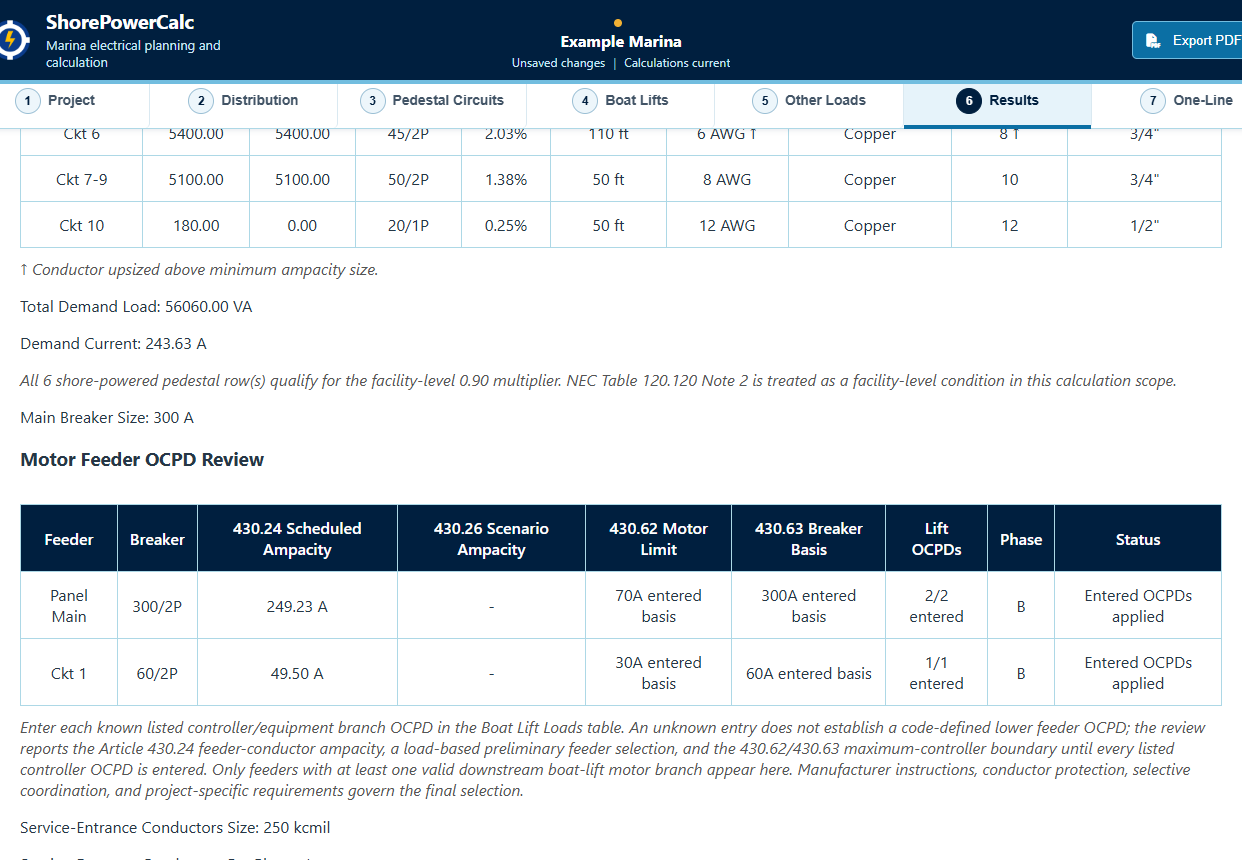
Boat lifts are motor loads, not just another shore-power receptacle count. Their effect depends on the source circuit, motor characteristics, controller or equipment overcurrent protection, branch conductors, service receptacles, simultaneous operation, and the upstream feeder level where multiple lifts are combined.
A marina calculation workflow should keep the lift connected to the pedestal or serving panel that supplies it. It should also preserve the basis for any operating-diversity assumption so a reduced simultaneous-lift count is not mistaken for an automatic code allowance.
ShorePowerCalc includes separate boat-lift input and motor-feeder review sections across its three project modes. Source-aware voltages, conductors, raceway planning, and actual OCPD review remain planning information that requires equipment data, manufacturer instructions, and professional review.
5. Include other marina electrical loads
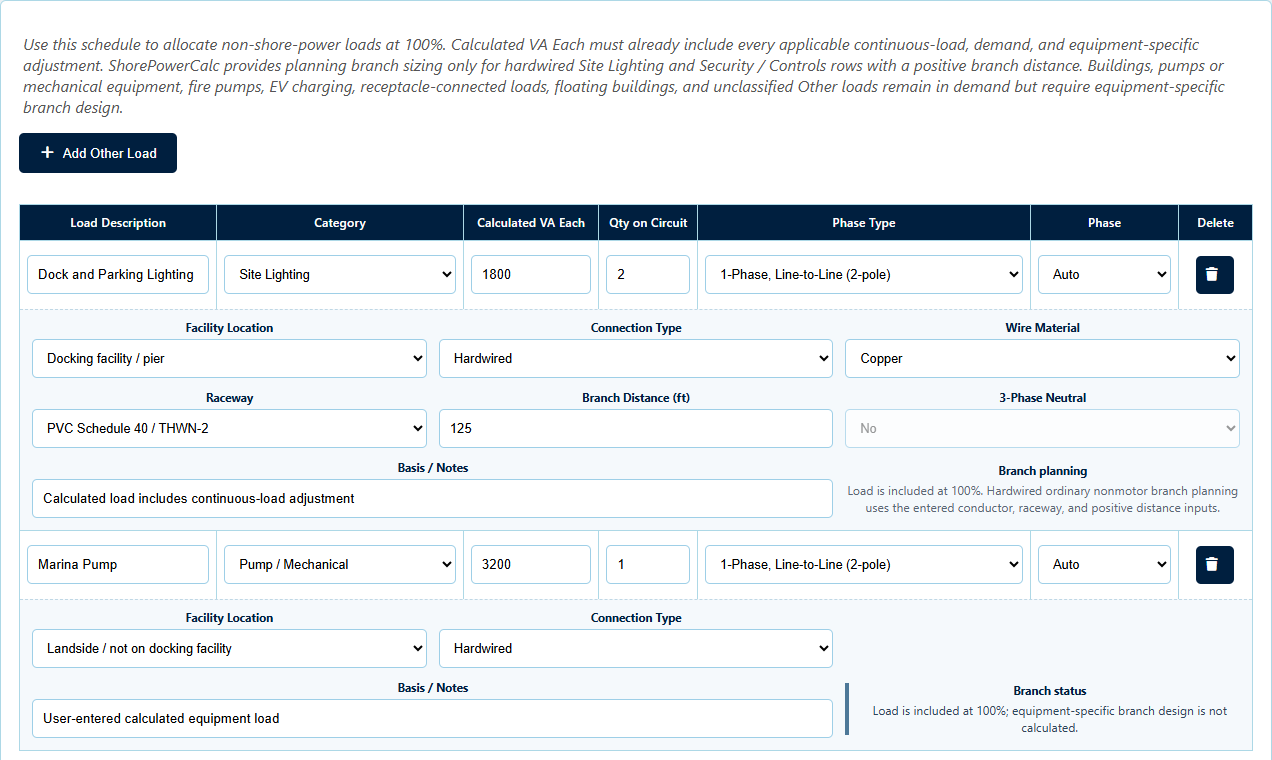
Shore-power receptacles and boat lifts are not the only loads that can affect marina distribution equipment. Site and dock lighting, marina buildings, pumps, controls, security systems, EV charging, and other calculated branches should be assigned to the actual equipment and phase they use.
A useful workflow keeps these loads visible in branch planning, equipment loading, schedules, one-lines, and the report instead of hiding them in an unrelated spreadsheet subtotal.
6. Build outputs from the same project data
The highest-value outputs are the ones that reduce transcription between the calculation and the deliverable. Depending on the project mode, that can include:
- Demand and service summaries.
- Panel schedules and upstream feeder schedules.
- Phase assignment, phase loading, and imbalance review.
- Boat-lift branch and feeder review tables.
- Tagged vertical single-panel, multi-panel, or substation one-line diagrams.
- Warnings, loop notes, assumptions, and calculation-basis statements.
- A combined PDF report for project review and records.
Generating those items from one project does not remove the need for professional verification. It does remove avoidable retyping and gives the reviewer a more consistent package to examine.
7. Evaluate the complete customer workflow
Before buying marina load calculation software, inspect more than a feature list. Look for actual application screens, a sample report, clearly stated platform requirements, license terms, data-storage behavior, support contact information, and the limitations of the calculation.
ShorePowerCalc publishes its current screens, 55-second product video, complete sample PDF, and 37-page guide so the input density and output format can be reviewed before checkout. The Windows package includes both an installed and portable build, saved project files, and a 365-day single-user license beginning on the original purchase date.
Professional review remains required. Calculation software cannot determine field conditions, adopted-code amendments, utility requirements, equipment listings, manufacturer instructions, available fault current, coordination, or every AHJ interpretation for a specific project.