
Why these loads belong in the marina distribution model
A marina service or MDP can supply much more than dock pedestals. Site lighting, dock lighting, offices, maintenance buildings, fuel systems, pump-out equipment, fire or security systems, controls, communications, EV charging, and other project-specific equipment can all affect upstream demand, phase loading, feeder capacity, and the one-line.
Keeping these loads in a separate spreadsheet creates a coordination problem. A branch can be included in an MDP total but omitted from the feeder schedule or one-line. A phase assignment can change without the service summary being updated. A revised calculated load can be missed when the report is exported.
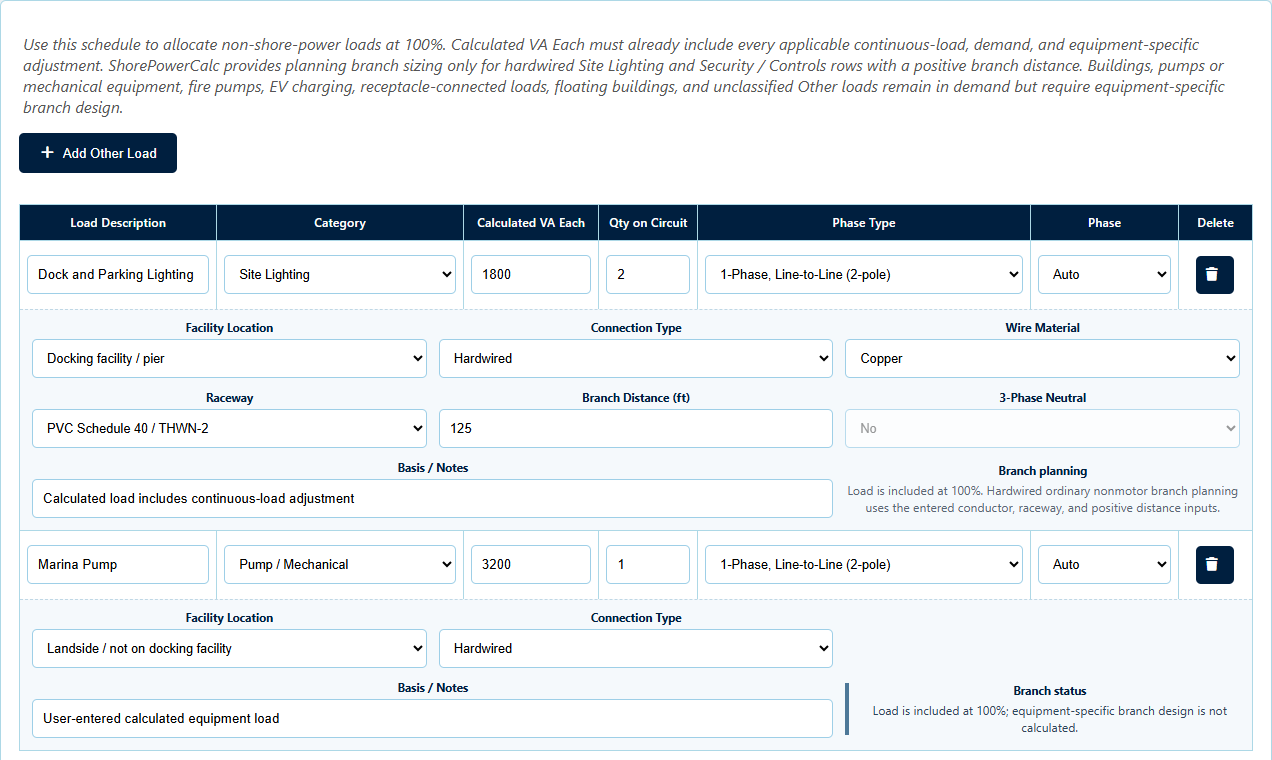
1. Start with a defensible calculated load
Identify what each branch represents and enter a calculated load that already reflects the applicable continuous-load, demand, motor, equipment, and project-specific treatment. Do not use a marketing label, connected nameplate value, or guessed diversity factor as a substitute for the required calculation.
Use a clear description and category so another reviewer can distinguish site lighting from dock lighting, a marina pump from a building load, or an EV branch from general-purpose receptacles.
2. Assign the actual serving equipment
The same load produces different upstream effects depending on where it is connected. Assign the MDP, dock panel, substation panel, or other serving equipment that actually supplies the branch. On a multi-level project, this preserves both the local equipment result and the upstream contribution.
A load should not be assigned directly to the MDP merely because its final source is uncertain. Use the current intended topology, document unresolved decisions, and revise the project when the distribution changes.
3. Select phase type and phase assignment
Identify whether the load is line-to-neutral, line-to-line, or three-phase. For single-phase branches, assign or automatically allocate the phase in a way that supports a meaningful phase-balance review. Keep the selected voltage consistent with the serving equipment and actual branch arrangement.
Phase balance is not only a final service-level number. A branch can affect its local panel, an upstream feeder, a substation, and the MDP. Review each level that the load passes through.
4. Preserve the branch planning information
Record the conductor material, wiring method or raceway, branch distance, neutral basis where applicable, and the notes that explain the load calculation. A useful output should keep the calculated branch current, OCPD planning value, conductor, equipment grounding conductor, raceway, and voltage drop tied to the load entry.
These values remain planning information. Final equipment selection, terminal ratings, conductor grouping, routing, environmental conditions, available fault current, protection, and manufacturer requirements still require project-specific review.
5. Avoid double counting
Confirm that a load is not already included in another equipment calculation or project subtotal. For example, a controller supply may already be part of a listed equipment load, and a building service may already include lighting or receptacle loads that should not be entered again as separate MDP branches.
Use the basis or notes field to state what the entered value includes. Clear notes are especially important when a user-calculated load comes from an external study or another professional's design.
6. Review schedules, results, and the one-line together
After calculation, confirm that each load appears under the intended equipment, on the intended phase, with the expected branch information. Follow it through the calculated Results hierarchy, feeder schedules, and tagged vertical one-line.
The one-line should make the source-to-load path recognizable, while the schedule retains the detailed branch values. The PDF report should preserve both views and the project basis used to create them.
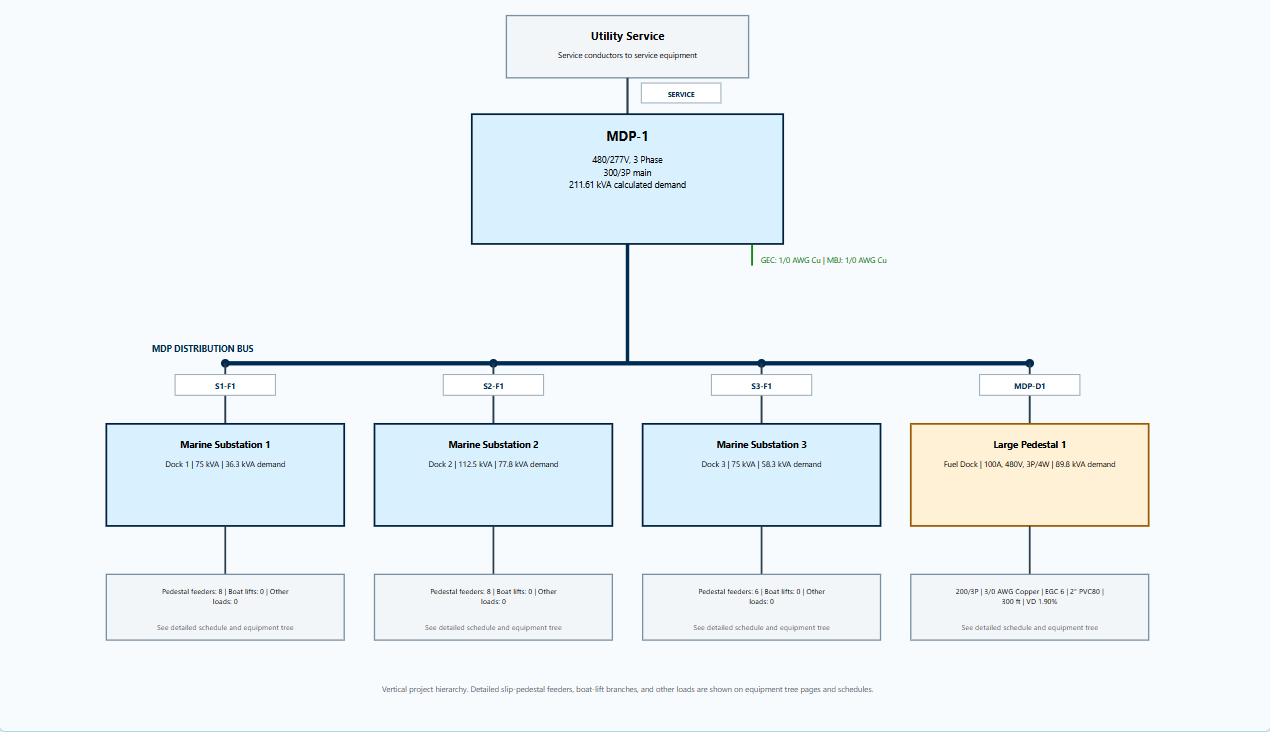
Calculation aid, not an automatic demand rule. ShorePowerCalc does not invent diversity for user-entered other loads. Enter a defensible calculated value, document its basis, and obtain the required professional, utility, manufacturer, and AHJ review.
How ShorePowerCalc handles other loads
The Other Loads step supports lighting, building, pump and mechanical, controls, security, EV charging, and other user-calculated categories. Each row can be tied to serving equipment and a phase, then carried into branch planning, schedules, equipment loading, vertical one-lines, saved .mlc projects, and the standard PDF report.
The software does not replace the underlying load calculation, equipment selection, engineering judgment, utility coordination, adopted-code review, or field verification.